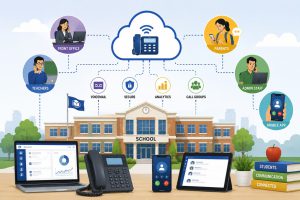

What happens when you need to reach three campuses in one minute, but every building runs a different phone setup, and the front office starts dialling lists by hand? That gap creates missed calls, slow transfers, and accountability issues. An IP PBX solution for schools gives a district one connected voice system across sites, so staff reach the right role fast, and leaders see what happens on the lines.
Multi-campus networks often carry separate extensions, an inconsistent caller ID, and scattered voicemail.
Why Multi-Campus Schools Need Centralized IP Communication Infrastructure
A district does not struggle because staff lack effort. The district struggles because phone service fragments across buildings and vendors. One campus keeps an old PBX, another uses a hosted line set, and the central office leans on mobile calls to fill gaps. That patchwork creates friction.
Parents call a main number, land in the wrong office, and bounce between extensions that staff do not know. Administrators lose visibility into peak windows, missed calls, and department response. Growth adds more lines and devices, but the experience stays inconsistent.
Centralised IP communications fixes the root issue. It gives the district one district-wide dial plan, one directory, and one control surface for users, routing rules, and policies.
How an IP PBX solution for schools Brings Operational Comfort and Institutional Value
An IP PBX solution for schools does more than replace phones. It removes the daily friction that slows front offices, departments, and campus teams when calls move across buildings and roles. It also gives leadership to one controlled system where routing, visibility, and response standards stay consistent across the full network.
Unified Communication Between Campuses and Administrative Offices With an IP PBX Solution For Schools
A connected voice platform gives the district one identity across campuses. Staff dial extensions across buildings, transfer calls with context, and route departments through ring groups and queues instead of personal workarounds. Consistent caller ID also lifts answer rates because families recognise the call source.
Leaders can design call paths that match real school traffic, then adjust them as seasons change.
Faster Emergency Announcements and Campus-Wide Alerts
Schools need two communication modes: routine coordination and high-priority alerts. A modern school phone system built on an IP PBX solution for schools can support paging integration, pre-set announcement groups, and structured call trees that leaders control from one console.
Treat safety as a process. Map groups by role, keep authorisation tight, and pair that with location-aware emergency calling so a 911 call carries the right campus details.
Reduced Telephony Costs Across Multiple Locations
Most districts pay extra for duplication: separate contracts per campus, one-off maintenance, and slow moves and changes. IP telephony reduces that waste by centralising management and standardising service. A district can move toward SIP-based connectivity, rationalise legacy lines, and apply one device strategy by role.
When IT teams manage users in one admin console, they cut on-site visits and reduce time spent fixing simple call flow issues.
Seamless Staff, Faculty, and Department Connectivity
Multi-campus communication breaks when staff move between buildings, but keep separate extensions and voicemail. Unified communications fixes that by keeping one extension per person, which is exactly what an IP PBX solution for schools is built to deliver, while also supporting access through desk phones, browser calling, or mobile softphones.
Cross-campus functions like transportation and student services need clean transfers, hunt groups, and consistent contact points.
Integration with Existing IT and Security Systems
Districts already run identity, security, and service workflows. The voice layer should connect to that stack through APIs and connectors, so teams can log communication and reduce manual follow-up. When the district aligns provisioning with accounts and roles, it tightens permissions around routing changes, recordings, and messaging.
Why Schools Trust Squibit for IP PBX Deployment
Squibit supports districts that need dependable voice operations with oversight, not a basic phone swap. Squibit runs hosted PBX calling, routing, extensions, voicemail, and user management in one platform, then adds operational tools schools use in real offices and support teams. Teams track missed calls, peak windows, and workload gaps through reporting, so leaders staff the lines.
Research Nester expects the hosted PBX segment to grow at about 16–17% CAGR over the next several years, which signals fast adoption as organisations move away from on-premises systems. At Squibit, we focus on call control, visibility, and workflow fit so schools reduce handoffs across campuses and offices.
- CRM integration to keep call activity tied to records
- Call recording for review, training, and accountability
- Business texting for updates, reminders, and parent outreach
- Branded calling support so outbound calls look consistent
- AI call sentiment scoring to help supervisors track call quality.
- Desktop, browser, and mobile access for multi-site teams
Key Considerations Before Implementing an IP PBX solution for schools
A rollout succeeds when the district treats voice as infrastructure. Start with network readiness. Plan bandwidth for peak concurrency, apply QoS, and build redundancy for internet paths. Next, map dial plans and call flows. Define campus main numbers, department queues, after-hours rules, and overflow routing before number porting. Plan device provisioning early, and standardise naming so staff find the right extensions.
Then address governance and compliance. Set permission tiers, lock down who can change routing, and define recording retention that matches district policy and FERPA practice. When we plan a district rollout, we stage front-office training first and move campus by campus so teams keep service.
| Area | Decision to make | Practical target | Common miss |
| Network | QoS, redundancy | Stable voice during bell times | Relying on Wi-Fi alone for key desks |
| Call flows | Auto attendant, queues | One consistent parent journey | Reusing old flows without fixes |
| Numbering | Dial plan | Simple district-wide pattern | Overlapping extensions by campus |
| Safety | Emergency calling | Accurate campus location mapping | Missing updates after room moves |
| Governance | Roles, permissions | Tight control over changes | Shared admin logins |
| Training | Office teams | Short scripts and live practice | One session, no follow-up |
Conclusion
Multi-campus districts run on coordination. Fragmented phone systems turn small delays into operational drag. A connected platform standardises routing, reporting, and access across campuses, while giving IT one place to manage users and policies. If your district needs an IP PBX solution for schools that supports daily call handling and scalable management, schedule a demo and move forward with us.
FAQs
1) Can schools keep existing analog phones and paging endpoints after a move to cloud PBX?
Yes. Many districts keep select analog devices through gateways, often for paging, elevators, and specific safety lines. Start with an inventory, then decide what stays analog and what moves to IP handsets or softphones.
2) What bandwidth planning matters most for VoIP in a K–12 environment?
Plan for peak concurrent calls, then protect voice with QoS and stable latency targets. Prioritise wired paths for front offices and network closets, then manage Wi-Fi capacity for mobile users.
3) Can a district migrate in phases without breaking internal extensions?
Yes. Districts can stage by campus, keep a district dial plan, and connect sites through the PBX so extensions still reach each other during the transition. Test call flows before full number porting.
4) How should schools handle 911 location mapping for softphones and mobile users?
Use a process. Map devices to buildings and rooms, define how staff update locations when they move, and audit changes each term. Limit edit access to authorised roles.
5) What should IT test before a cutover weekend?
Test inbound and outbound calling, transfers, voicemail, hunt groups, paging links, after-hours routing, and number presentation. Run a rehearsal with front offices and keep a rollback plan.